











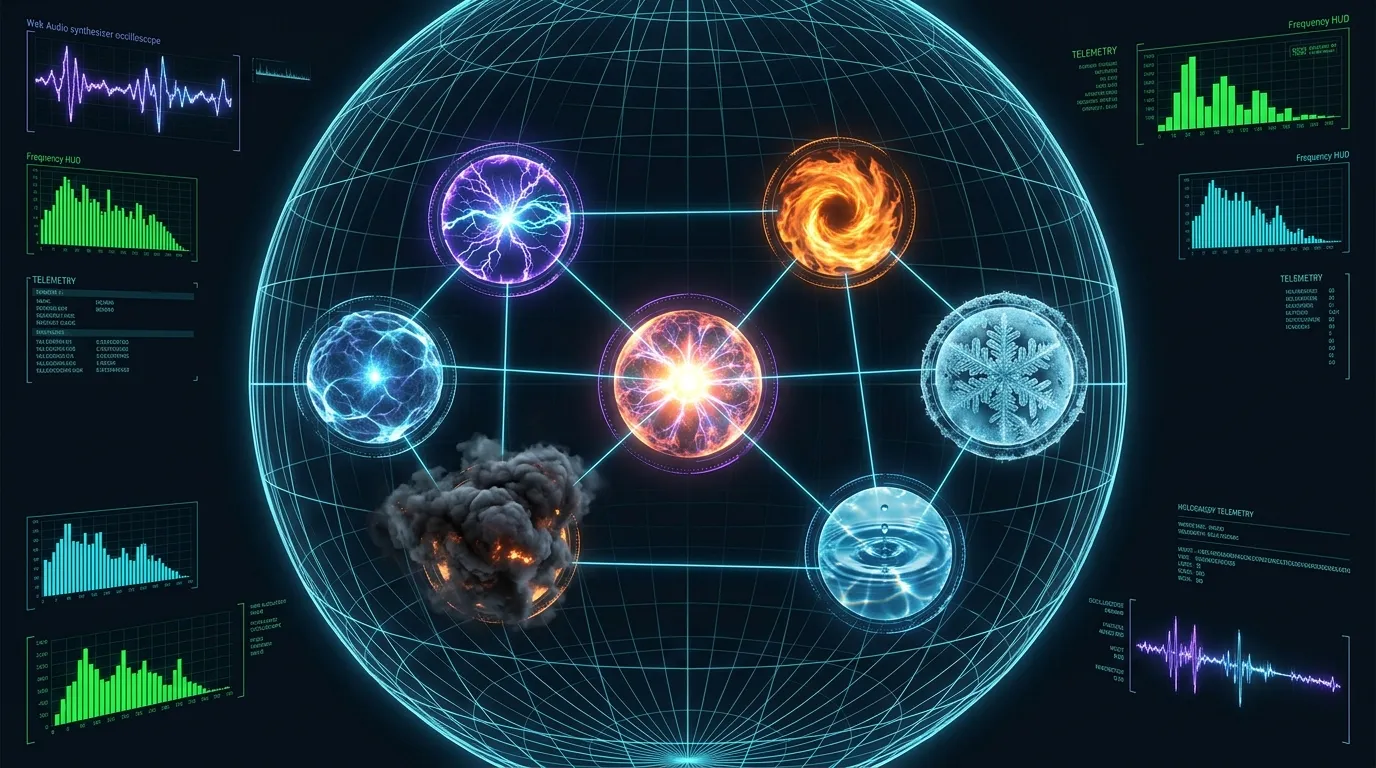
Procedural Cybernetics: Inside the Zero-Dependency @tekromancy/tekromancy FX & Web Audio Engine
Modern interactive web experiences frequently suffer from extreme dependency and asset bloat: importing 600 KB of Three.js, GSAP, Howler.js, and megabytes of pre-rendered .mp3 audio files and sprite sheets just to render particle effects, presentation transitions, and UI feedback.
When we engineered the open-source @tekromancy/tekromancy package and our 3D Celestial Sphere presentation engine (which powered our Crucible of Hackers briefing), we enforced a strict architectural constraint in package.json: "dependencies": {}.
Every high-voltage lightning bolt, convective firestorm, volumetric smoke plume, electromagnetic plasma containment field, dendritic frost crystal, 3D spherical great-circle constellation arc, proximity cursor tether, and sci-fi synthesizer sound is generated procedurally at runtime using pure mathematics, HTML5 Canvas 2D, CSS3 3D transforms, and the native Web Audio API.
1. Architecture of the @tekromancy/tekromancy Engine
The @tekromancy/tekromancy package (packages/tekromancy/src) is structured around six independent elemental Canvas 2D generators (LightningGenerator, FireGenerator, SmokeGenerator, PlasmaGenerator, WaterGenerator, and IceGenerator), a zero-asset Web Audio synthesizer (SoundFXEngine), and four core orchestration controllers (TekromancyFX, StationFXController, ElementHighlighter, and CursorTether):
+-------------------------------------------------------------------------------+
|                    @tekromancy/tekromancy ENGINE ARCHITECTURE                 |
+-------------------------------------------------------------------------------+
|                                                                               |
|                      [ TekromancyFX Unified Orchestrator ]                    |
|                      ├── StationFXController (Slide/Step Intensity Resolver)  |
|                      ├── ElementHighlighter  (DOM Bounding-Box & Substeps)    |
|                      ├── CursorTether        (Proximity Arcs & Spark Trails)  |
|                      └── SoundFXEngine       (Web Audio Procedural Synth)     |
|                                       |                                       |
|        +--------------+---------------+---------------+--------------+        |
|        |              |               |               |              |        |
|        v              v               v               v              v        |
|  [ Lightning ]   [  Fire  ]     [  Plasma  ]     [  Smoke  ]    [ Ice/Water ] |
|  LightningBolt   FireGenerator  PlasmaGenerator  SmokeGenerator IceGenerator  |
|  Recursive       Buoyant        Lissajous        Turbulence     WaterGenerator|
|  Midpoint        Thermal        Harmonic         Curl-Noise     Dendritic     |
|  Bifurcation     Convection     Orbs & Arcs      Billowing      Frost & Waves |
|                                                                               |
+-------------------------------------------------------------------------------+
Using the unified TekromancyFX facade (src/core/TekromancyFX.js), any web application or impress.js / Reveal.js presentation deck can initialize all six elemental engines, proximity cursor tethering, and synchronized procedural audio in a single declarative block:
import { TekromancyFX, StationFXController } from '@tekromancy/tekromancy';
import '@tekromancy/tekromancy/tekromancy.css';

const stationController = new StationFXController({
  'tekromancy-portal': { lightning: 40, plasma: 30 },
  'manifesto':         { lightning: 75, fire: 20, plasma: 40 },
  'station-lightning': { lightning: 85 },
  'station-fire':      { fire: 90 },
  'station-smoke':     { smoke: 85 },
  'station-plasma':    { plasma: 90 },
  'station-water':     { water: 85 },
  'station-ice':       { ice: 90 },
  'station-unified':   { lightning: 70, fire: 60, plasma: 65, ice: 50 },
});

const tekromancyFX = new TekromancyFX({
  sound: true,
  cursorTether: {
    selector: 'button, .btn-cyber, .orbital-node-card, .cyber-card',
    effect: 'lightning',
    maxDistance: 130,
    trail: true,
  },
  highlighter: {
    stationController,
    autoFlash: true,
  },
});
2. Recursive Midpoint Bifurcation (LightningBolt.js)
Natural electrical breakdown in ionized air follows a jagged, self-similar fractal path (a Lichtenberg figure). Rather than drawing static SVG paths or loading animated GIFs, src/lightning/LightningBolt.js generates unique bolts on every strike using recursive 1D midpoint displacement with stochastic secondary bifurcation:
- Start with a line segment from origin $(x_1, y_1)$ to target $(x_2, y_2)$ at recursion depth
maxDepth = 6and initialbranchIntensity = 1.0. - Compute the midpoint $(m_x, m_y)$ and displace it stochastically proportional to the current recursion
depth: $$m_x = \frac{x_1 + x_2}{2} + (U - 0.5) \cdot 30 \cdot \text{depth}, \quad m_y = \frac{y_1 + y_2}{2} + (U - 0.5) \cdot 20 \cdot \text{depth}$$ - Recursively subdivide both halves (
depth - 1) untildepth === 0, pushing the leaf line segments intothis.segments. - Whenever
depth > 2andMath.random() < this.forkChance(0.45), spawn a secondary forked branch (depth - 2) with attenuated brightness (branchIntensity * 0.6).
Here is the exact implementation from packages/tekromancy/src/lightning/LightningBolt.js:
export class LightningBolt {
  constructor(startX, startY, endX, endY, intensity = 1.0, options = {}) {
    this.segments = [];
    this.intensity = intensity;
    this.life = 1.0;
    this.color = options.color || '#00f0ff';
    this.coreColor = options.coreColor || '#ffffff';
    this.decay = options.decay || (0.05 + Math.random() * 0.04);
    this.maxDepth = options.maxDepth || 6;
    this.forkChance = options.forkChance !== undefined ? options.forkChance : 0.45;

    this.generateBolt(startX, startY, endX, endY, this.maxDepth, this.intensity);
  }

  generateBolt(x1, y1, x2, y2, depth, branchIntensity) {
    if (depth === 0) {
      this.segments.push({ x1, y1, x2, y2, intensity: branchIntensity });
      return;
    }

    const midX = (x1 + x2) / 2 + (Math.random() - 0.5) * (depth * 30);
    const midY = (y1 + y2) / 2 + (Math.random() - 0.5) * (depth * 20);

    this.generateBolt(x1, y1, midX, midY, depth - 1, branchIntensity);
    this.generateBolt(midX, midY, x2, y2, depth - 1, branchIntensity);

    // Recursive secondary fork
    if (depth > 2 && Math.random() < this.forkChance) {
      const forkEndX = midX + (Math.random() - 0.5) * 180;
      const forkEndY = midY + Math.random() * 140 + 40;
      this.generateBolt(midX, midY, forkEndX, forkEndY, depth - 2, branchIntensity * 0.6);
    }
  }

  draw(ctx) {
    if (this.life <= 0 || !ctx) return;

    ctx.save();
    ctx.shadowColor = this.color;
    ctx.shadowBlur = 24 * this.intensity;

    for (const seg of this.segments) {
      const segAlpha = Math.max(0, this.life * seg.intensity);

      // Pass 1: Outer Neon Atmospheric Halo
      ctx.strokeStyle = `rgba(0, 240, 255, ${segAlpha * 0.8})`;
      ctx.lineWidth = 3.5 * seg.intensity;
      ctx.beginPath();
      ctx.moveTo(seg.x1, seg.y1);
      ctx.lineTo(seg.x2, seg.y2);
      ctx.stroke();

      // Pass 2: Inner White-Hot Core
      ctx.strokeStyle = `rgba(255, 255, 255, ${segAlpha})`;
      ctx.lineWidth = Math.max(1.0, 1.4 * seg.intensity);
      ctx.beginPath();
      ctx.moveTo(seg.x1, seg.y1);
      ctx.lineTo(seg.x2, seg.y2);
      ctx.stroke();
    }

    ctx.restore();
  }
}
By rendering each segment in two passes—an outer neon cyan halo (rgba(0, 240, 255, ...) with shadowBlur: 24) followed by a crisp white-hot inner core (rgba(255, 255, 255, ...))—and decaying this.life on every animation frame, the bolt produces a realistic stroboscopic discharge without any WebGL shader overhead.
3. Proximity Cursor Tethering & DOM Bounding-Box Encirclement
Because @tekromancy/tekromancy mounts pointer-events: none fullscreen overlay canvases (z-index: 99999), procedural effects can dynamically interact with standard HTML DOM elements.
Proximity Arc Casting (src/core/CursorTether.js)
As the user moves their mouse cursor $(m_x, m_y)$ across the viewport, CursorTether queries interactive targets matching this.selector (button, .btn-cyber, .orbital-node-card, [data-tekro-tether]), skips offscreen elements, and computes the closest point $(c_x, c_y)$ on each element’s axis-aligned bounding box (getBoundingClientRect()):
$$c_x = \max\left(\text{rect.left},; \min(m_x, \text{rect.right})\right), \quad c_y = \max\left(\text{rect.top},; \min(m_y, \text{rect.bottom})\right)$$
When the Euclidean distance $d = \sqrt{(m_x - c_x)^2 + (m_y - c_y)^2}$ falls below maxDistance ($130\text{ px}$), CursorTether calculates a normalized proximity ratio $\alpha = 1 - \frac{d}{d_{\max}} \in (0, 1]$ and casts live elemental tendrils—jittered lightning arcs, sinusoidal plasma waves, quadratic Bezier fire tongues, or frost beams—directly from the cursor to the nearest edge of the DOM element, spawning contact sparks at $(c_x, c_y)$ on impact. Furthermore, as the presentation transitions between elemental stations (impress:stepenter), presentation.js switches the active cursor tether mode (tekromancyFX.cursorTether.setEffect('fire' | 'plasma' | 'ice' | ...)).
Automated Substep & Fragment Highlighting (src/core/ElementHighlighter.js)
Presentations built with impress.js or Reveal.js progressively reveal bullet points and code blocks via .substep or .fragment classes. ElementHighlighter hooks directly into impress:substep:enter, fragmentshown, and an optional MutationObserver to automatically encircle newly revealed DOM elements in elemental effects resolved via a 5-tier priority hierarchy:
- Explicit
effectTypeargument passed totekromancyFX.highlight(el, effectType). - Element-level
data-fx="lightning,plasma"ordata-highlight-fxattribute (supporting comma-separated compound elemental wraps!). - Element-level shorthand attribute (
data-fire,data-ice, etc.). - Parent slide/station configuration resolved via
StationFXController. - Fallback default effect (
lightning).
4. 3D Hologram Globe & Spherical Linear Interpolation (cyber-canvas.js)
In apps/tekromancy, our 11 orbital stations are positioned in a 3D spherical coordinate space of radius $R = 9,000\text{ px}$ for impress.js CSS3D camera flight, while apps/tekromancy/js/cyber-canvas.js renders an interactive 3D wireframe hologram globe in the background with 9 station beacons (manifesto through station-guide):
| Station # | Station ID | Engine Designation | Spherical $(\text{Lat}, \text{Lon})$ | Beacon Color | Primary FX Profile |
|---|---|---|---|---|---|
01 |
manifesto |
CORE MANIFESTO |
$(0^\circ, 0^\circ)$ | #00f0ff |
Lightning 75 / Plasma 40 / Fire 20 |
02 |
station-lightning |
LIGHTNING ENGINE |
$(+28^\circ, 45^\circ)$ | #38bdf8 |
Lightning 85 |
03 |
station-fire |
FIRE ENGINE |
$(-22^\circ, 90^\circ)$ | #ff6600 |
Fire 90 |
04 |
station-smoke |
SMOKE ENGINE |
$(+32^\circ, 135^\circ)$ | #cbd5e1 |
Smoke 85 |
05 |
station-plasma |
PLASMA ENGINE |
$(-18^\circ, 180^\circ)$ | #ff00b4 |
Plasma 90 |
06 |
station-water |
WATER ENGINE |
$(+28^\circ, 225^\circ)$ | #0ea5e9 |
Water 85 |
07 |
station-ice |
ICE ENGINE |
$(-24^\circ, 270^\circ)$ | #93c5fd |
Ice 90 |
08 |
station-unified |
UNIFIED FX |
$(+30^\circ, 315^\circ)$ | #fbbf24 |
Multi-Element Tempest |
09 |
station-guide |
INTEGRATION GUIDE |
$(-48^\circ, 360^\circ)$ | #22ee44 |
Lightning 40 / Plasma 40 |
To draw the glowing laser constellation arcs and traveling energy pulses connecting sequential stations across the curvature of the 3D hologram globe, cyber-canvas.js implements Spherical Linear Interpolation (SLERP) over unit vectors $\vec{v}_1, \vec{v}_2 \in \mathbb{R}^3$:
$$\text{slerp}(\vec{v}_1, \vec{v}_2, t) = \frac{\sin((1 - t)\Omega)}{\sin\Omega}\vec{v}_1 + \frac{\sin(t\Omega)}{\sin\Omega}\vec{v}_2, \quad \text{where } \Omega = \arccos(\vec{v}_1 \cdot \vec{v}_2)$$
// Great-circle SLERP interpolation between two stations on the unit sphere (cyber-canvas.js)
function slerp(p1, p2, t) {
  const lat1 = (p1.lat * Math.PI) / 180, lon1 = (p1.lon * Math.PI) / 180;
  const lat2 = (p2.lat * Math.PI) / 180, lon2 = (p2.lon * Math.PI) / 180;

  const v1 = [Math.cos(lat1) * Math.sin(lon1), -Math.sin(lat1), Math.cos(lat1) * Math.cos(lon1)];
  const v2 = [Math.cos(lat2) * Math.sin(lon2), -Math.sin(lat2), Math.cos(lat2) * Math.cos(lon2)];

  let dot = v1[0] * v2[0] + v1[1] * v2[1] + v1[2] * v2[2];
  dot = Math.max(-1, Math.min(1, dot));
  const omega = Math.acos(dot);

  if (Math.abs(omega) < 0.001) return { lat: p1.lat, lon: p1.lon };

  const sinOmega = Math.sin(omega);
  const s1 = Math.sin((1 - t) * omega) / sinOmega;
  const s2 = Math.sin(t * omega) / sinOmega;

  const vx = s1 * v1[0] + s2 * v2[0];
  const vy = s1 * v1[1] + s2 * v2[1];
  const vz = s1 * v1[2] + s2 * v2[2];

  const lat = -Math.asin(Math.max(-1, Math.min(1, vy))) * (180 / Math.PI);
  const lon = Math.atan2(vx, vz) * (180 / Math.PI);
  return { lat, lon };
}
When the user enters the #overview constellation view, cyber-canvas.js unlocks inertial 3D orbit dragging (rotVelocityX, rotVelocityY with $0.94$ damping) and 3D raycast hit-testing: hovering over any station beacon projects a targeting reticle and floating telemetry HUD (⚡ CLICK TO WARP PLUNGE), and clicking a beacon triggers window.impress().goto(targetId).
5. Zero-Asset Web Audio Procedural Synthesizer (SoundFXEngine.js)
To give every elemental storm, substep reveal, and 3D orbital warp tactile acoustic feedback without loading a single .mp3 or .wav file, packages/tekromancy/src/sound/SoundFXEngine.js synthesizes nine distinct procedural soundscapes in real time using Web Audio API nodes:
| Sound Method | Acoustic Synthesis Topology | Frequency & Filter Envelope |
|---|---|---|
playThunder() |
Leaky-integrator brownian noise buffer ($y_i = \frac{y_{i-1} + 0.02 w_i}{1.02}$) + Biquad lowpass |
Cutoff ramps exponentially $800\text{ Hz} \rightarrow 80\text{ Hz}$ over $1.2\text{ s}$ |
playCrackle() |
sawtooth oscillator + resonant Biquad bandpass ($Q = 3.0$) |
Osc sweeps $140\text{ Hz} \rightarrow 50\text{ Hz}$; filter centered at $450\text{ Hz}$ |
playHiss() |
White noise buffer ($0.8\text{ s}$) + Biquad bandpass |
Center frequency ramps linearly $1,200\text{ Hz} \rightarrow 400\text{ Hz}$ |
playPlasma() |
Dual detuned oscillators (triangle + sine, $\Delta f = 8\text{ Hz}$ beating) |
Sweeps $320\text{ Hz} / 328\text{ Hz} \rightarrow 180\text{ Hz} / 182\text{ Hz}$ over $0.6\text{ s}$ |
playSplash() |
Pure sine droplet resonance |
Exponential sweep $550\text{ Hz} \rightarrow 180\text{ Hz}$ over $0.35\text{ s}$ |
playFrost() |
High-frequency crystalline square wave |
Two-stage sweep: $1,800\text{ Hz} \rightarrow 4,200\text{ Hz}$ ($0.15\text{ s}$) $\rightarrow 900\text{ Hz}$ |
playWarp() |
sawtooth hyper-warp plunge |
Parabolic sweep: $70\text{ Hz} \rightarrow 950\text{ Hz}$ ($1.8\text{ s}$) $\rightarrow 120\text{ Hz}$ ($2.4\text{ s}$) |
playImpact() |
Sub-bass hydraulic slam (sine) |
High-gain sweep $160\text{ Hz} \rightarrow 30\text{ Hz}$ over $0.6\text{ s}$ |
Here is how SoundFXEngine.js synthesizes the leaky-integrator brownian thunder rumble and dual-oscillator electromagnetic plasma beating hum:
// 1. ⚡ Lightning Thunder Crack & Stroboscopic Rumble (src/sound/SoundFXEngine.js)
playThunder(intensity = 1.0) {
  if (!this._checkContext()) return;
  const t = this.ctx.currentTime;
  const bufferSize = Math.floor(this.ctx.sampleRate * 1.5);
  const buffer = this.ctx.createBuffer(1, bufferSize, this.ctx.sampleRate);
  const data = buffer.getChannelData(0);

  // Integrate white noise into brownian (1/f²) rumble
  let lastOut = 0.0;
  for (let i = 0; i < bufferSize; i++) {
    const white = Math.random() * 2 - 1;
    data[i] = (lastOut + (0.02 * white)) / 1.02;
    lastOut = data[i];
    data[i] *= 3.5;
  }

  const noise = this.ctx.createBufferSource();
  noise.buffer = buffer;

  const filter = this.ctx.createBiquadFilter();
  filter.type = 'lowpass';
  filter.frequency.setValueAtTime(Math.min(1800, 800 * intensity), t);
  filter.frequency.exponentialRampToValueAtTime(80, t + 1.2);

  const gain = this.ctx.createGain();
  gain.gain.setValueAtTime(Math.min(1.0, 0.9 * intensity), t);
  gain.gain.exponentialRampToValueAtTime(0.01, t + 1.4);

  noise.connect(filter);
  filter.connect(gain);
  gain.connect(this.masterGain);

  noise.start(t);
  noise.stop(t + 1.5);
}

// 4. ⚛️ Plasma Electromagnetic Beating Hum (src/sound/SoundFXEngine.js)
playPlasma(intensity = 1.0) {
  if (!this._checkContext()) return;
  const t = this.ctx.currentTime;
  const osc1 = this.ctx.createOscillator();
  const osc2 = this.ctx.createOscillator();
  const gain = this.ctx.createGain();

  osc1.type = 'triangle';
  osc1.frequency.setValueAtTime(320 * intensity, t);
  osc1.frequency.exponentialRampToValueAtTime(180, t + 0.6);

  osc2.type = 'sine';
  osc2.frequency.setValueAtTime(328 * intensity, t); // 8 Hz detune creates acoustic beating
  osc2.frequency.exponentialRampToValueAtTime(182, t + 0.6);

  gain.gain.setValueAtTime(Math.min(1.0, 0.45 * intensity), t);
  gain.gain.exponentialRampToValueAtTime(0.01, t + 0.7);

  osc1.connect(gain);
  osc2.connect(gain);
  gain.connect(this.masterGain);

  osc1.start(t);
  osc2.start(t);
  osc1.stop(t + 0.7);
  osc2.stop(t + 0.7);
}
The entire SoundFXEngine class weighs 10.7 KB unminified (~2.8 KB gzipped), requires zero network requests, respects browser autoplay policies via lazy AudioContext resumption on user gesture, and scales every filter cutoff and gain envelope dynamically with the visual effect’s intensity parameter.
// ABOUT THE AUTHOR
Joshua Edward McLaughlin Cox
Technomancer & Systems ArchitectPassionate about low-level Linux systems engineering, high-scale Kubernetes deployments, local artificial intelligence pipelines, and defensive security. Building robust, sovereign computing environments that stand the test of time.