











Announcing Silent Mode Control: Granular Telecom Call Screening & Silent Schedules for Android
Smartphones have become relentless attention-extraction engines. Every day, professionals, on-call engineers, security researchers, and everyday smartphone users face a frustrating dilemma: either keep the phone on ring and endure unwanted interruptions, marketing calls, and non-urgent chatter—or switch on “Do Not Disturb” (DND) and risk sleeping through a high-severity production outage, an emergency family alert, or an urgent escalation.
Stock Android and OEM firmware flavors offer blunt instruments. Standard DND features operate like sledgehammers: they treat your entire contact book with broad strokes, providing rudimentary “Starred Contacts” exceptions or basic global time windows. They fail completely when you need nuanced temporal rules—such as allowing your secondary on-call rotation to ring between 02:00 and 06:00, muting noisy work Slack/SIP bridges after 18:00, or enabling silent vibration exclusively for specific client groups.
Today, we are thrilled to announce Silent Mode Control (SMC), a sovereign Android utility engineered to return absolute authority over your device’s acoustic and haptic boundaries.
Explore the live portal and interactive documentation at smc.tekromancy.com.
1. The Architectural Problem with Stock Android DND
Android’s notification and interruption manager was architected over a decade ago. While Google has iteratively polished Zen Mode and Focus Modes, the underlying policy engine still suffers from structural limitations:
+--------------------------------------------------------------------------+
|                       STOCK ANDROID INTERRUPT PIPELINE                   |
|                                                                          |
|  Incoming Call ----> [Global DND Filter] ----> [Starred Only?]           |
|                                |                      |                  |
|                         (All or Nothing)       (Binary Decision)         |
|                                |                      |                  |
|                                v                      v                  |
|                       Silences Everything      Allows Everything         |
+--------------------------------------------------------------------------+- Lack of Per-Contact Recurring Windows: You cannot specify that Contact A may ring your phone on Tuesday evenings, but must be silently logged on weekends.
- Coupled Ringer and Vibration States: Stock Android frequently links ringer volume to vibration settings during DND overrides. You often cannot command the phone to vibrate silently for specific contacts without either fully ringing aloud or dropping the event into total silence.
- Absence of Contact Grouping Rules: Modern communication requires separating clients, internal teammates, family circles, and vendor automated numbers. Managing individual rules across hundreds of contacts in stock settings is impossible.
2. Introducing Silent Mode Control (SMC)
Silent Mode Control re-engineers this pipeline from first principles. By integrating directly into the modern Android CallScreeningService API and device audio routing policy, SMC acts as an intelligent, deterministic firewall for incoming telecom traffic.
+--------------------------------------------------------------------------+
|                     SILENT MODE CONTROL (SMC) PIPELINE                   |
|                                                                          |
|  Incoming Call                                                           |
|       |                                                                  |
|       v                                                                  |
|  [Android Telecom Framework]                                             |
|       |                                                                  |
|       v                                                                  |
|  [SMC CallScreeningService] <--- 100% On-Device Deterministic Rule Engine |
|       |                                                                  |
|       +---> Contact Group Match? (VIP, On-Call, Work, Family, Unknown)   |
|       +---> Active 24h Matrix Time Window Check?                         |
|       +---> Emergency Repeated Call Verification?                        |
|       |                                                                  |
|       v                                                                  |
|  [Granular Action Pipeline]                                              |
|       |-- Route A: Full Ring & Custom Vibration Pattern                  |
|       |-- Route B: Silent Ring (Mute speaker, allow UI prompt)           |
|       |-- Route C: Tactile Vibration Only                                |
|       \-- Route D: Immediate Screen & Drop (Zero Interrupt)             |
+--------------------------------------------------------------------------+
Rather than crudely toggling system volume up and down—which creates race conditions and audible half-second chirp artifacts—SMC intercepts incoming call metadata at the framework level before the audio subsystem triggers the device speaker.
3. Core Capabilities & Feature Matrix
Granular Temporal Scheduling per Contact & Group
Assign custom 24-hour schedules to specific contacts or user-defined contact groups. Define independent profiles for weekday business hours, nocturnal standby shifts, and weekend deep-focus blocks.
Independent Ringer vs. Vibration Enforcement
Decouple acoustic alerts from tactile feedback. Configure emergency contacts to bypass silent mode with escalating vibration bursts without blaring loud audio rings in quiet environments.
24-Hour Visual Schedule Matrix
A visual timeline interface on the dashboard lets you inspect your device’s alert posture at a glance across every hour of the day:
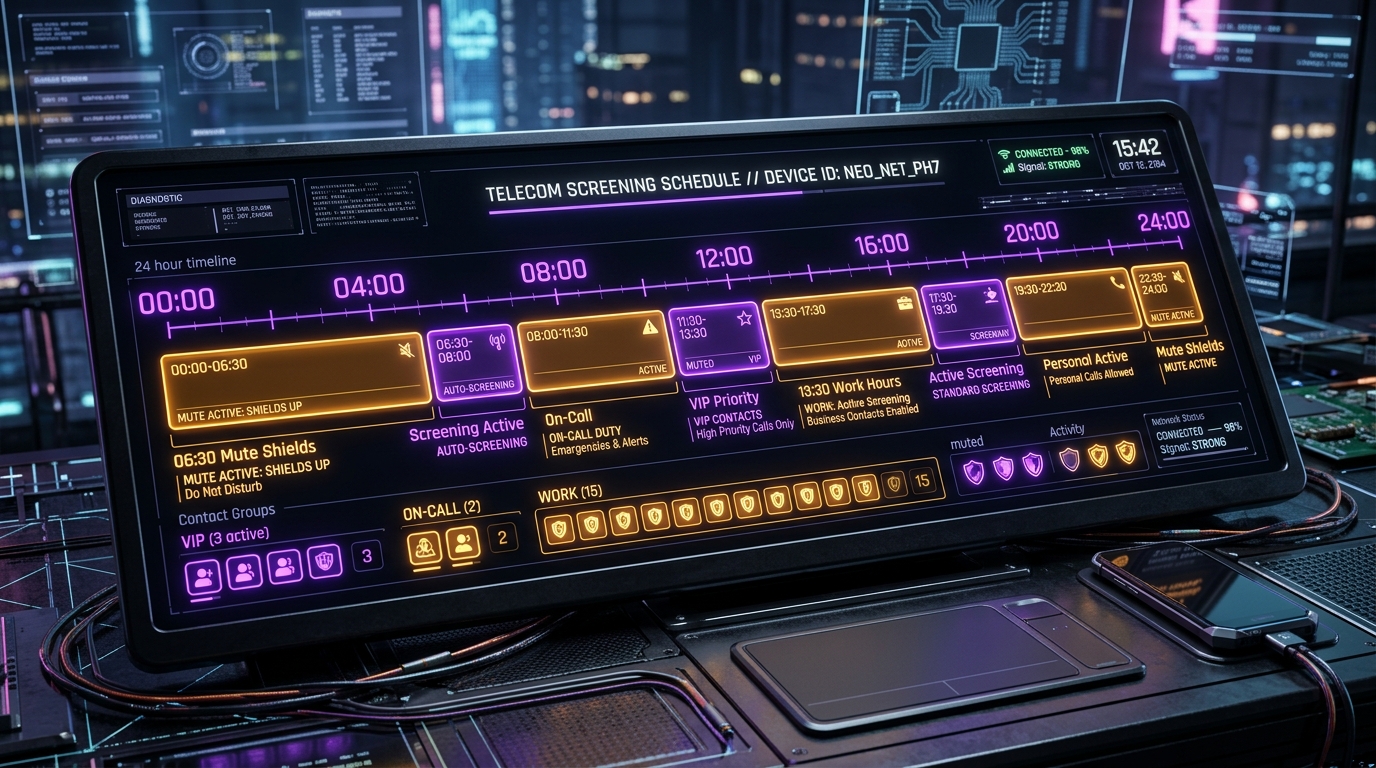
| Mode / Group | 00:00 – 06:00 | 06:00 – 09:00 | 09:00 – 18:00 | 18:00 – 22:00 | 22:00 – 24:00 |
|---|---|---|---|---|---|
| Emergency / VIP | Full Ring | Full Ring | Full Ring | Full Ring | Full Ring |
| On-Call Engineering | Loud Vibrate | Loud Vibrate | Standard | Silent Log | Loud Vibrate |
| Work Team / Peers | Mute | Mute | Normal Ring | Silent Log | Mute |
| Unlisted / Unknown | Screen & Drop | Screen & Drop | Screen & Drop | Screen & Drop | Screen & Drop |
Repeated Call Emergency Bypass
For urgent contingencies, SMC provides an optional multi-attempt threshold: if an unlisted or muted contact calls multiple times within a tight window (e.g., 3 calls in 3 minutes), the firewall temporarily escalates priority to ensure you never miss critical emergencies.
4. The Tekromancy Privacy Covenant: Zero Cloud, Zero Tracking
In an era where utility apps routinely bundle bloated third-party tracking SDKs, ad networks, and behavioral telemetry, Silent Mode Control takes a defiant architectural stance:
- 100% On-Device Processing: Every schedule evaluation, contact lookup, and screening decision occurs locally in native device memory.
- Zero Remote Cloud Dependency: SMC functions completely offline without an internet connection or cloud user account.
- Zero Third-Party Ad SDKs: No surveillance trackers, no analytics beacons, and no background network telemetry eating battery life.
- Minimal Privilege Footprint: Permissions are restricted strictly to native telecom screening and local contact query interfaces required for schedule matching.
5. Free vs. Pro Editions & Closed Beta Access
Silent Mode Control is launching under a fair, transparent distribution model:
- Free Edition: Complete scheduling engine, single-contact custom schedules, native call screening, zero ads, and full on-device privacy.
- Pro Edition: Unlimited contact groups, advanced repeated-call logic, recurring holiday calendar profiles, and custom vibration sequencing.
How to Join the Closed Beta
The Google Play closed beta track is actively rolling out to testers:
- Visit the Portal: Head to smc.tekromancy.com to review the complete documentation and interactive timeline.
- Access Google Play: Download and test builds directly via the Google Play Closed Beta Track.
- Join the Feedback Group: Send beta verification requests and direct feedback to
tekromancy@googlegroups.comor transmit dispatches via our Contact Gateway.
6. Expanding the Sovereign Mobile Ecosystem
Silent Mode Control joins SpareTank as the second cornerstone in Tekromancy’s expanding lineup of sovereign mobile applications. Together, they represent our commitment to building tools that respect user autonomy, extend physical device longevity, and protect attention from modern digital noise.
Explore all sovereign software and field tools in our newly launched Apps Section.
Interactive 24-Hour Call Firewall Simulator
Simulate inbound telecom calls across scheduled time windows to observe automatic quiet hours, repeat caller bypasses, and contact screening.
// ABOUT THE AUTHOR
Joshua Edward McLaughlin Cox
Technomancer & Systems ArchitectPassionate about low-level Linux systems engineering, high-scale Kubernetes deployments, local artificial intelligence pipelines, and defensive security. Building robust, sovereign computing environments that stand the test of time.